10 min read
How to Copy the HTML and CSS of Any Element on a Website
Copy → Outer HTML gives you markup with no styles. Here is why, what computed styles leaves out, and the five things that break when you paste a component somewhere else.
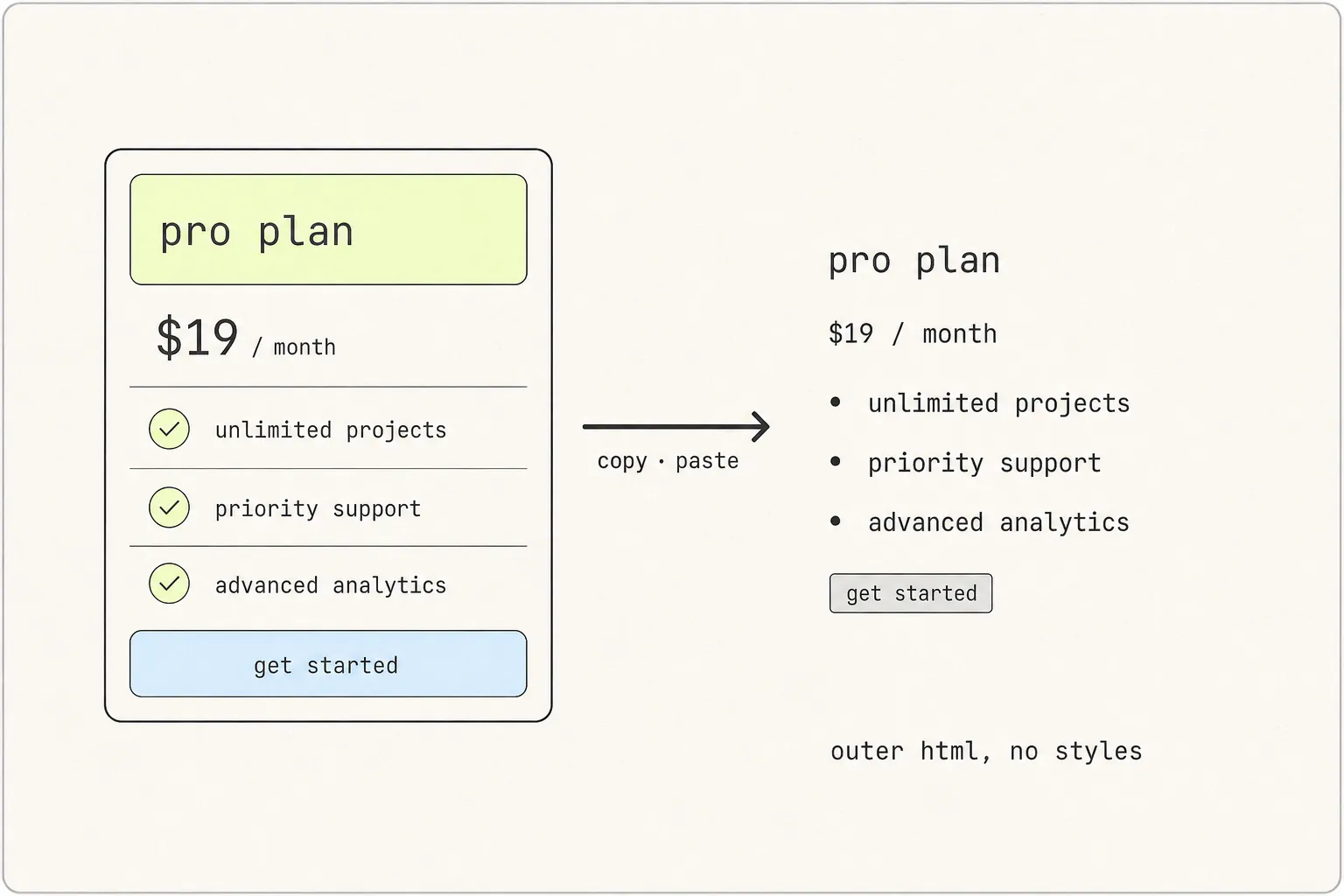
Right-click, Inspect, Copy → Outer HTML, paste. What arrives is a perfectly correct tree of <div> elements with none of the design attached, because on a modern site essentially none of the styling lives in the element you copied. Here is where it actually lives, and the five specific things that go missing.
What DevTools actually gives you
Chrome offers two ways to get an element out, and it is worth understanding exactly what each one contains before deciding it failed you.
Copy → Outer HTML
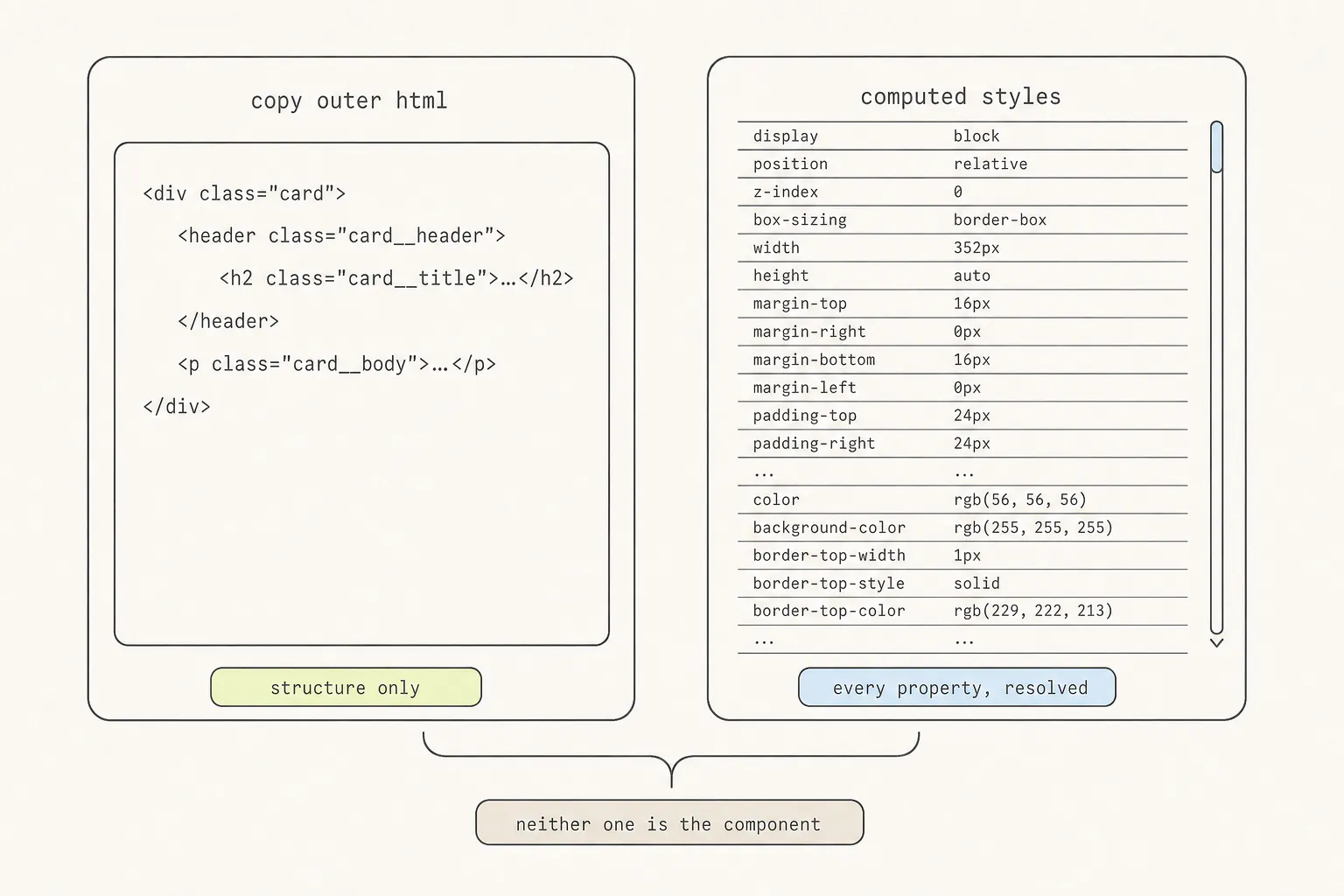
Right-click an element in the Elements panel and choose Copy → Outer HTML. You get the element and all its descendants as markup, with attributes and class names intact. What you do not get is any of the CSS — those class names are references to rules in stylesheets you did not copy.
Also worth knowing: this copies the current DOM, not the page source. On a JavaScript-rendered site those are different documents, and the DOM version is the one you want.
The Computed pane
Select an element, open Computed, and you see every CSS property resolved to a final value. Copy that and you have hundreds of declarations, most of them browser defaults, all of them describing the element exactly as it is at that instant.
That last clause is the problem. Computed styles are a snapshot, so they omit:
- Every state the element is not currently in.
- Every rule that only applies at another viewport width.
- The
@font-facedeclaration thefont-familyvalue depends on. - The
@keyframesblock thatanimation-namepoints at. - Pseudo-elements, which are not the element and have their own computed styles.
You can walk each of these down by hand. It takes about twenty minutes per component and you will miss one.
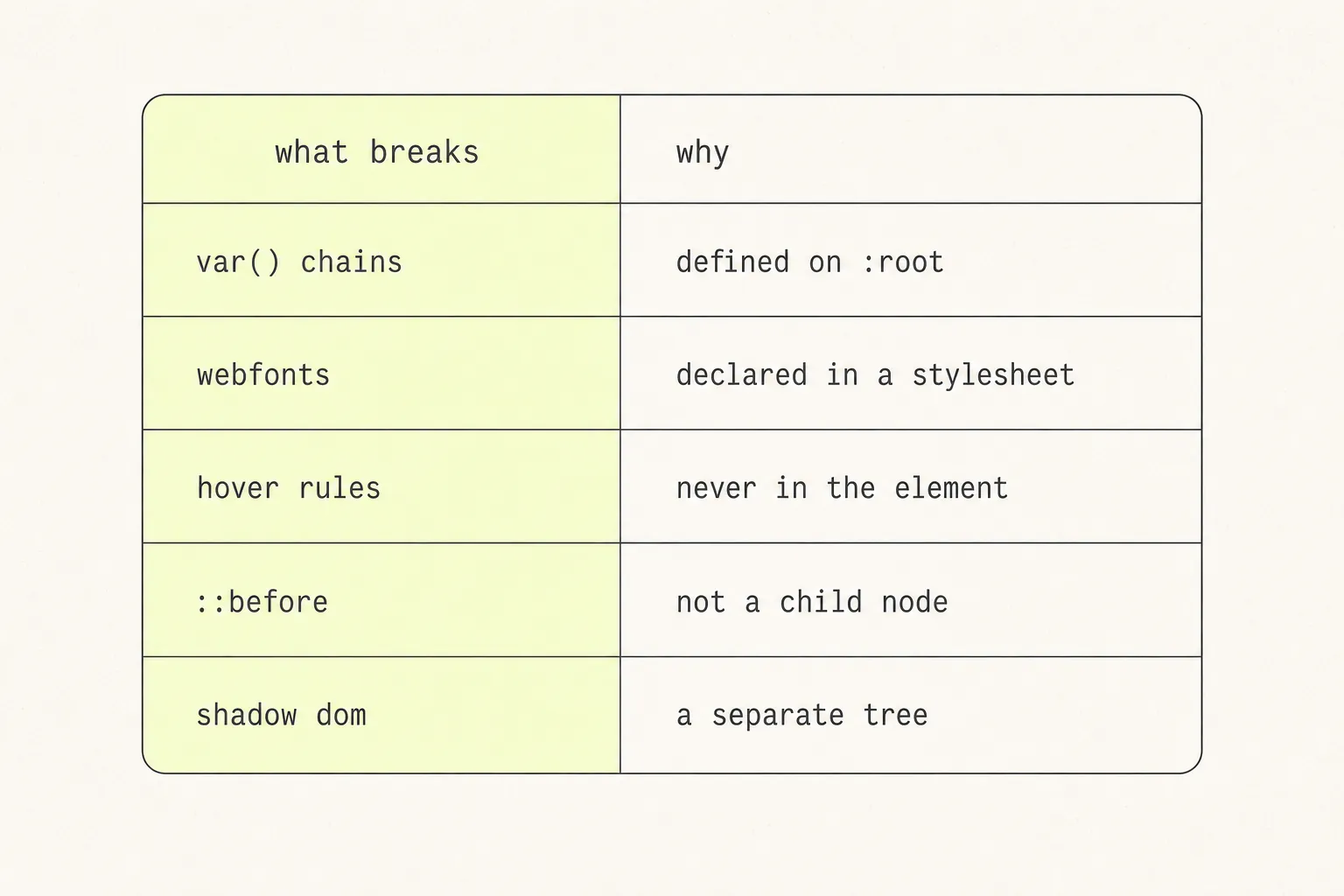
Break 1: custom-property chains
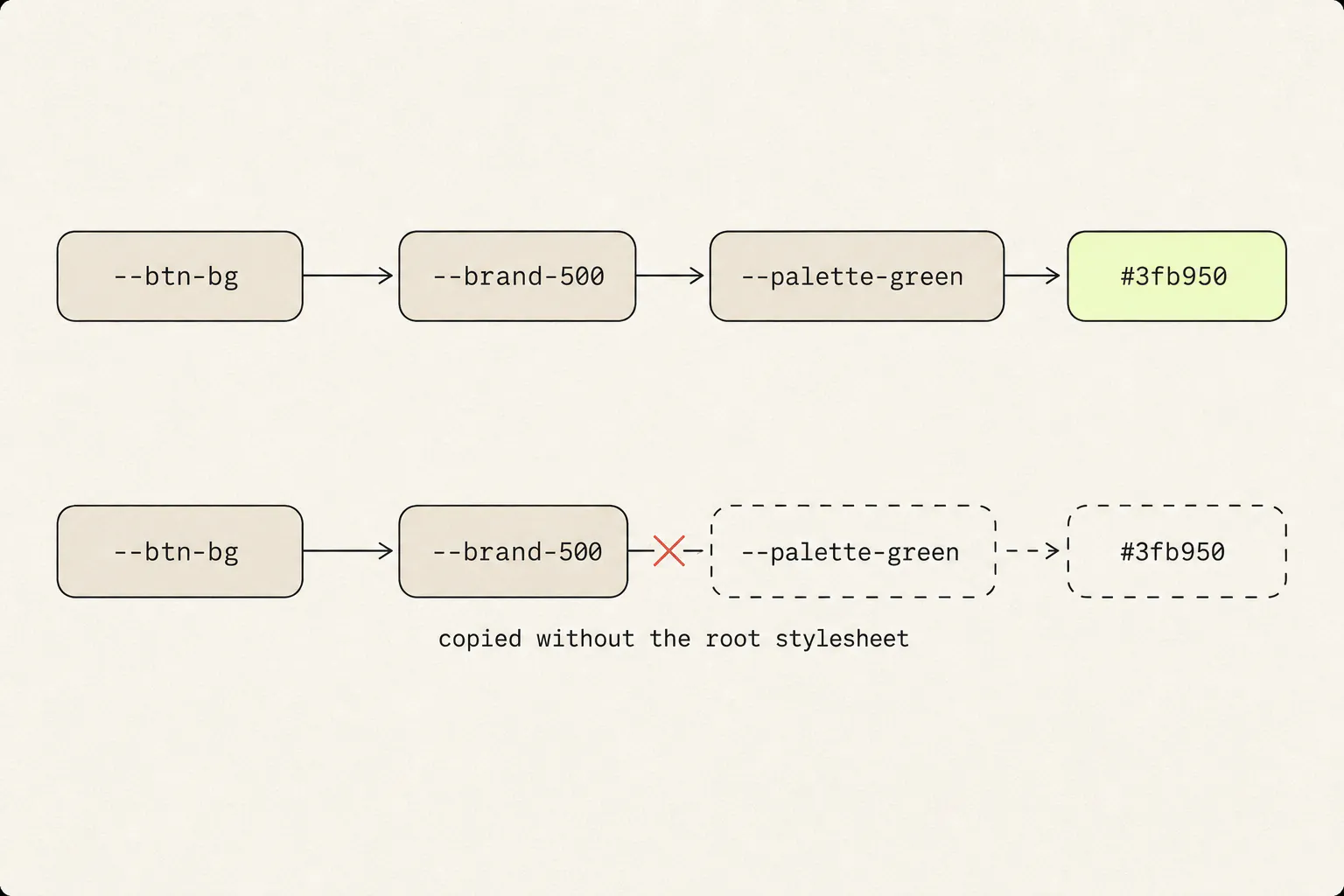
Every design system built in the last few years defines its colours, spacing and type scale as custom properties on :root or a theme class, and components reference them indirectly:
:root {
  --palette-green-500: #3fb950;
  --brand-primary: var(--palette-green-500);
}

.button {
  background: var(--brand-primary);
  padding: var(--space-3) var(--space-5);
  border-radius: var(--radius-md);
}
Copy .button’s rule into a blank page and every var() resolves to nothing. The background falls back to transparent, the padding to zero, the radius to square. The component does not look broken in an obvious way — it looks like a slightly wrong, cramped version of itself, which takes longer to diagnose.
The fix
Use the computed value rather than the reference. The Computed pane shows the resolved result, and in the Styles pane you can hover any var() to see what it ends up as. For a whole component, this is faster:
const el = $0; // the element selected in the Elements panel
const styles = getComputedStyle(el);
const used = [...document.styleSheets]
  .flatMap((sheet) => { try { return [...sheet.cssRules]; } catch { return []; } })
  .flatMap((rule) => (rule.style ? [...rule.style] : []))
  .filter((prop) => prop.startsWith('--'));

console.table([...new Set(used)].map((prop) => ({
  property: prop,
  value: styles.getPropertyValue(prop).trim(),
})));
Cross-origin stylesheets throw when you read their rules, which is what the try is for — you will get the same-origin ones, which is usually where the tokens live.
Break 2: webfonts
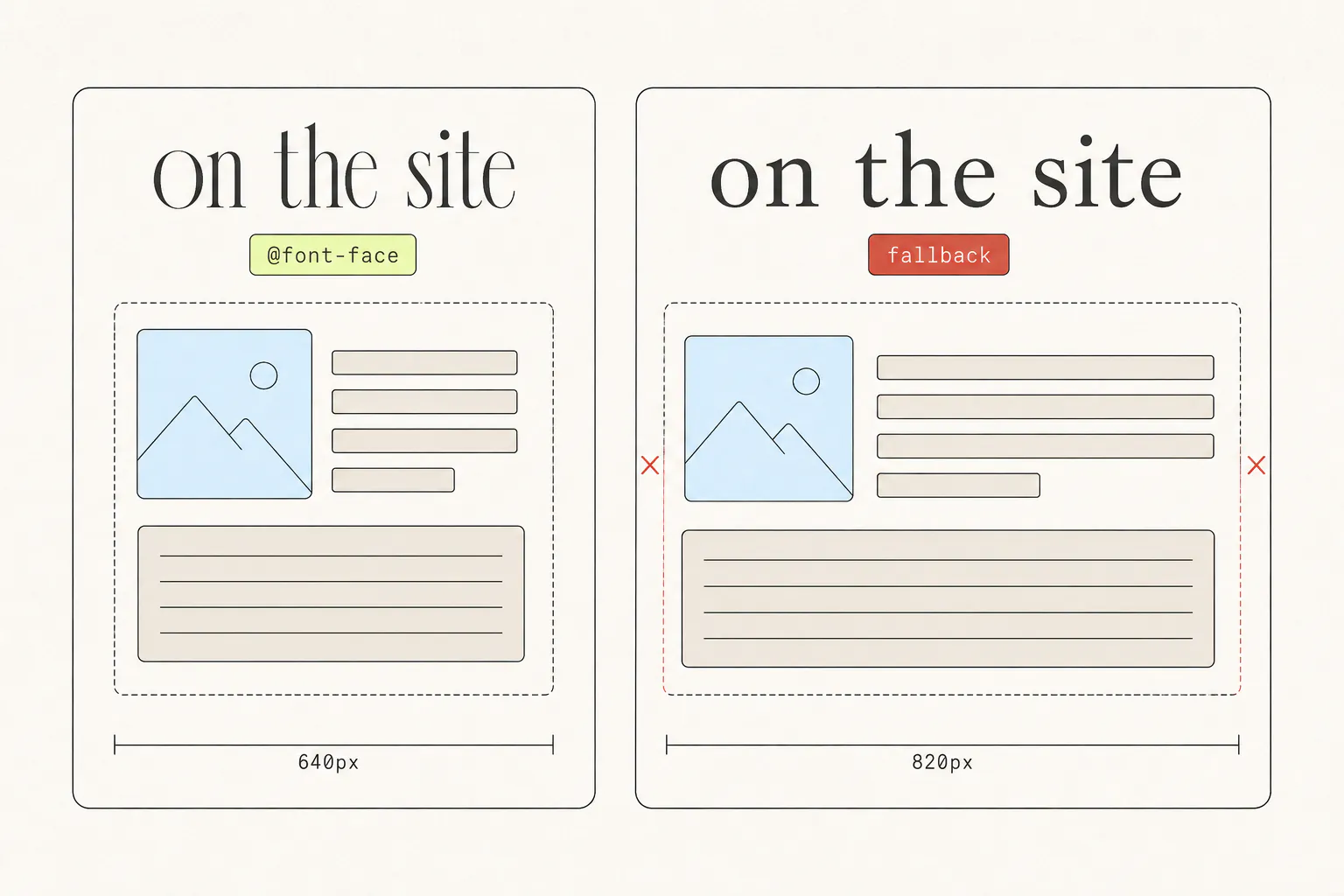
A copied font-family: "Söhne", sans-serif is a name, not a font. Without the @font-face rule that tells the browser where to fetch it, you get the fallback — a different face at a different width, which cascades into different line breaks, different heights, and a layout that no longer matches.
This is the failure people misdiagnose most often, because the component looks nearly right. The spacing is subtly off and nothing in the CSS explains why.
The fix
Find the @font-face rules. The Network panel filtered to Font shows every font file the page loaded and where from. Or list the declarations directly:
[...document.styleSheets]
  .flatMap((sheet) => { try { return [...sheet.cssRules]; } catch { return []; } })
  .filter((rule) => rule instanceof CSSFontFaceRule)
.forEach((rule) => console.log(rule.cssText));Break 3: hover, focus and keyframes
Computed styles describe the element as it is right now. A :hover rule is not applying right now, so it is not in the computed styles, so it is not in your copy. The pasted component looks correct and is completely inert — no colour change on hover, no focus ring, no transition.
The same is true of @keyframes. Computed styles give you animation-name: pulse, and the block that defines what pulse means lives elsewhere in the stylesheet.
The fix
In the Styles pane, click :hov and tick the state you want; the rules that apply appear and can be copied individually. Repeat for :focus, :focus-visible and :active. Then find the @keyframes block by searching the Sources panel for the animation name.
Forcing states is also how you screenshot them — capturing a hover state, dropdown or animation goes through the DevTools panel in more detail.
Break 4: pseudo-elements
::before and ::after generate boxes that are not nodes in the DOM. They do not appear in Outer HTML, they are not children of anything, and they have their own computed styles that the element’s Computed pane does not show.
They are used constantly: gradient overlays on cards, custom list bullets, decorative rules beside headings, the little chevron on a dropdown, tooltip arrows. Copy a card whose gradient scrim is a ::before and you get the card without the scrim — and the text that was legible over the image is suddenly not.
The fix
DevTools shows pseudo-elements in the Elements tree as greyed ::before and ::after entries; select one and its styles appear as normal. To check whether an element has any at all:
for (const pseudo of ['::before', '::after']) {
  const style = getComputedStyle($0, pseudo);
  if (style.content !== 'none') {
    console.log(pseudo, {
      content: style.content,
      background: style.background,
      position: style.position,
      inset: style.inset,
    });
  }
}
Break 5: shadow DOM
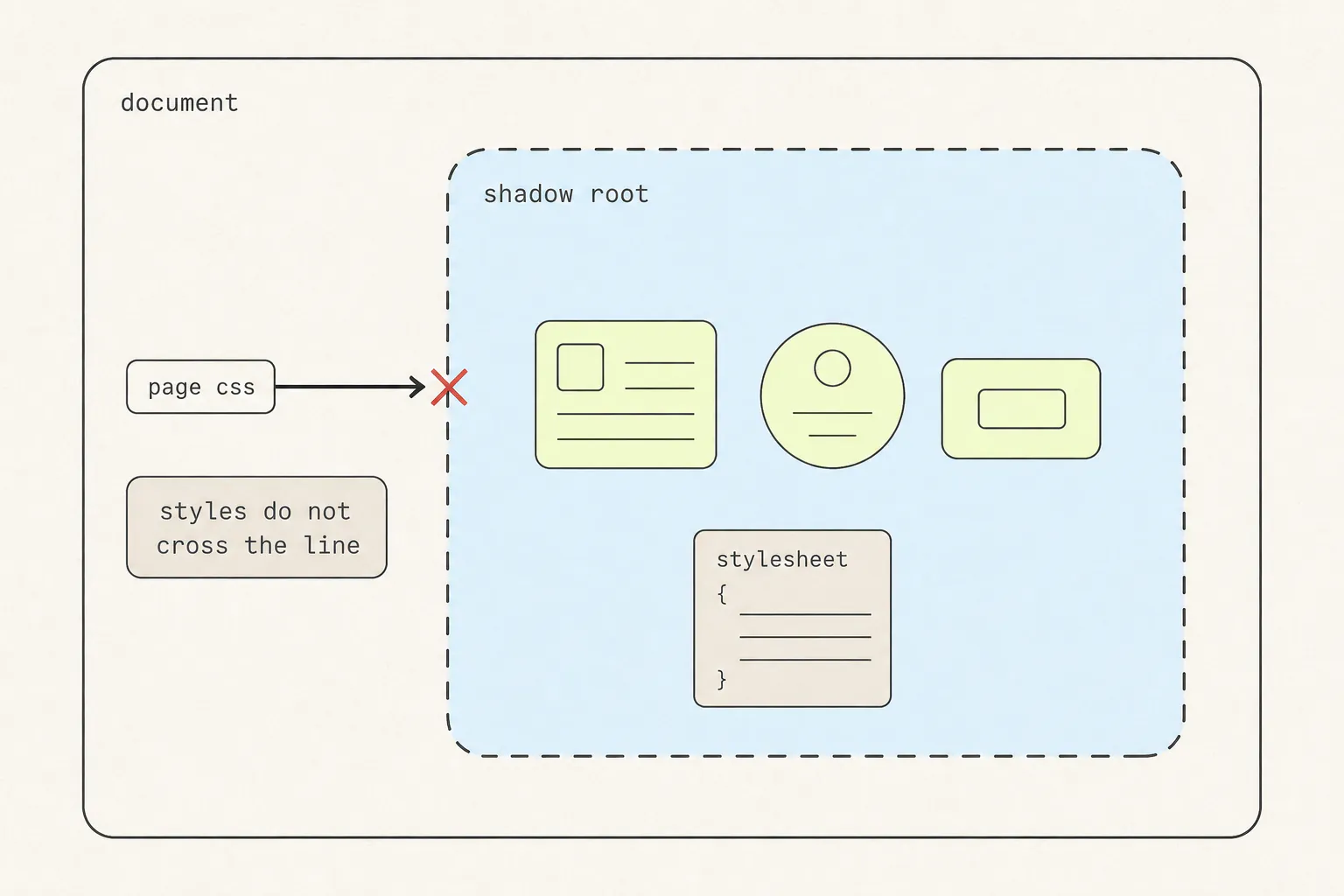
Web components, and a great many embedded third-party widgets, put their internals inside a shadow root. That is a separate DOM tree with its own stylesheet, deliberately isolated from the page.
Copying the host element gives you the tag and nothing inside it. Even where DevTools shows you the shadow content, its styles are scoped to that tree — paste them into a normal document and the selectors do not match the same things, because :host and ::slotted() have no meaning outside a shadow root.
The fix
Read the shadow tree explicitly. Open shadow roots are traversable from script:
const host = document.querySelector('my-widget');
if (host.shadowRoot) {
  console.log(host.shadowRoot.innerHTML);
  for (const sheet of host.shadowRoot.adoptedStyleSheets) {
    console.log([...sheet.cssRules].map((r) => r.cssText).join('\n'));
  }
}
Closed shadow roots return null from shadowRoot and cannot be read this way at all. At that point you are reverse-engineering from a screenshot, and you would be better off rebuilding the component than extracting it.
Doing it properly
By hand
- Copy the Outer HTML.
- Copy the computed styles for the element and every descendant that has its own rules.
- Resolve every
var()to its computed value, or bring the:rootblock along. - Force each interactive state and copy the rules that appear.
- Find the
@keyframesblocks the animation properties reference. - Find the
@font-facerules, and check the licence. - Check for
::beforeand::afteron every element. - Check for shadow roots.
This works. It is genuinely educational the first time, because you end up reading how the component is built rather than just taking it. It is also twenty minutes you will not want to spend on the fourth component — and if you are collecting components as reference rather than shipping them today, a capture you can take apart later is worth more than a folder of screenshots you cannot.
With a capture tool
This is exactly what Grabby automates. Point at an element and it walks the tree collecting resolved styles, pseudo-class rules, @keyframes blocks, @font-face declarations, pseudo-elements and shadow DOM — open and closed — then opens the result in an editor where the component is live and resizable. Export is standalone HTML with an inline stylesheet, or a single-file JSX component with the styles deduplicated into scoped classes.
The reason it goes to that trouble is measured rather than asserted: every capture is diffed pixel-by-pixel against the original on live production sites, and any visible difference is treated as a bug — the current numbers are on the homepage. Turning a capture into a component you would actually commit is the subject of the next article in this series.
Where the line is
Copying CSS techniques is how front-end development has always been learned. Viewing source is a feature of the web, not a loophole in it, and there is no meaningful difference between reading a stylesheet to understand a layout and reading a book to understand an argument. (If all you need is a picture of the component rather than its code, a screenshot raises none of this and takes a second.)
Reasonable, and widely accepted:
- Studying how a layout, animation or interaction is built.
- Taking a technique — a grid approach, an easing curve, a spacing scale — into your own work.
- Capturing a component as a reference or a starting point you then rework.
- Reproducing a page locally to file a bug or write about it.
Not reasonable:
- Shipping someone’s component with their brand colours, logo, typeface and copy intact.
- Taking photography, illustration or icon sets, which are separately licensed works.
- Hotlinking or redistributing licensed font files.
- Cloning a whole product page and presenting it as your own.
The rough test: are you taking an idea or an asset? A flexbox arrangement is an idea. A wordmark, a photograph, a paragraph of copy and a purchased typeface are assets. We are not lawyers, and the specifics vary by jurisdiction — but that distinction will keep you on the right side of most of it.
Frequently asked questions
How do I copy the CSS of an element in Chrome?
Right-click the element, choose Inspect, then read the Styles pane for the rules that apply or the Computed pane for every resolved property. Right-click a rule to copy it. Note that computed styles describe the element in its current state only — :hover, @font-face and @keyframes are not included and have to be collected separately.
Why does the CSS I copied look different on my page?
Most often one of five things: unresolved var() references because the :root block was not copied; a missing @font-face so the type falls back to a different width; a ::before or ::after that was never in the markup; an inherited property coming from an ancestor you did not bring; or your own stylesheet’s reset applying different defaults. Check them in that order.
Can I copy an element with its hover state?
Not through the Computed pane, which only reflects the current state. Force the state first: in the Styles pane click :hov and tick :hover, then copy the rules that appear. Repeat for :focus and :active. A capture tool that reads stylesheets rather than computed values collects all of them in one pass.
What is the difference between Copy Outer HTML and View Source?
View Source shows the HTML the server sent. Copy → Outer HTML gives you the current DOM, after JavaScript has run. On a site rendered client-side those are very different — View Source may be an empty <div id="root"> while the DOM has the whole page in it. For copying a component, you want Outer HTML.
How do I copy something inside a shadow DOM?
For an open shadow root, read element.shadowRoot.innerHTML and its adoptedStyleSheets from the console. For a closed one, shadowRoot returns null and there is no scripted way in — DevTools can display the contents but you cannot extract them programmatically. Some capture tools hook the API at document start so both kinds are reachable.
Is it legal to copy CSS from a website?
Learning from a technique and reusing an approach is normal practice and how the craft spreads. Taking someone’s specific assets — brand identity, photography, icon sets, licensed fonts, written copy — is not, because those are separately protected works. The useful line is idea versus asset. This is not legal advice, and the details differ by jurisdiction.
Keep reading
9 min read
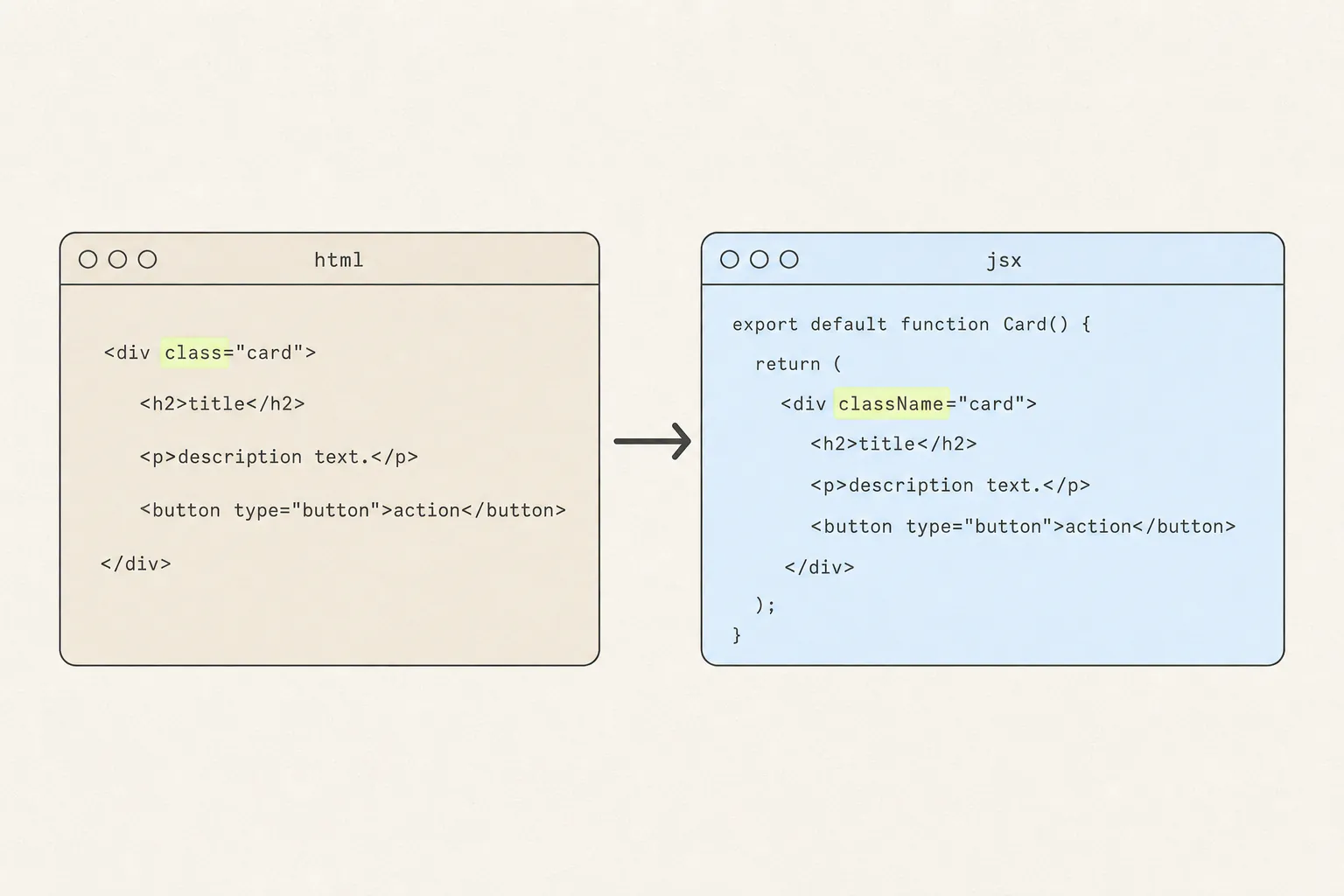
How to Turn a Web Page Element Into a React Component
Converting the markup is a find-and-replace. Converting the component means deciding where its styles live, and that is the part every online converter skips.
8 min read
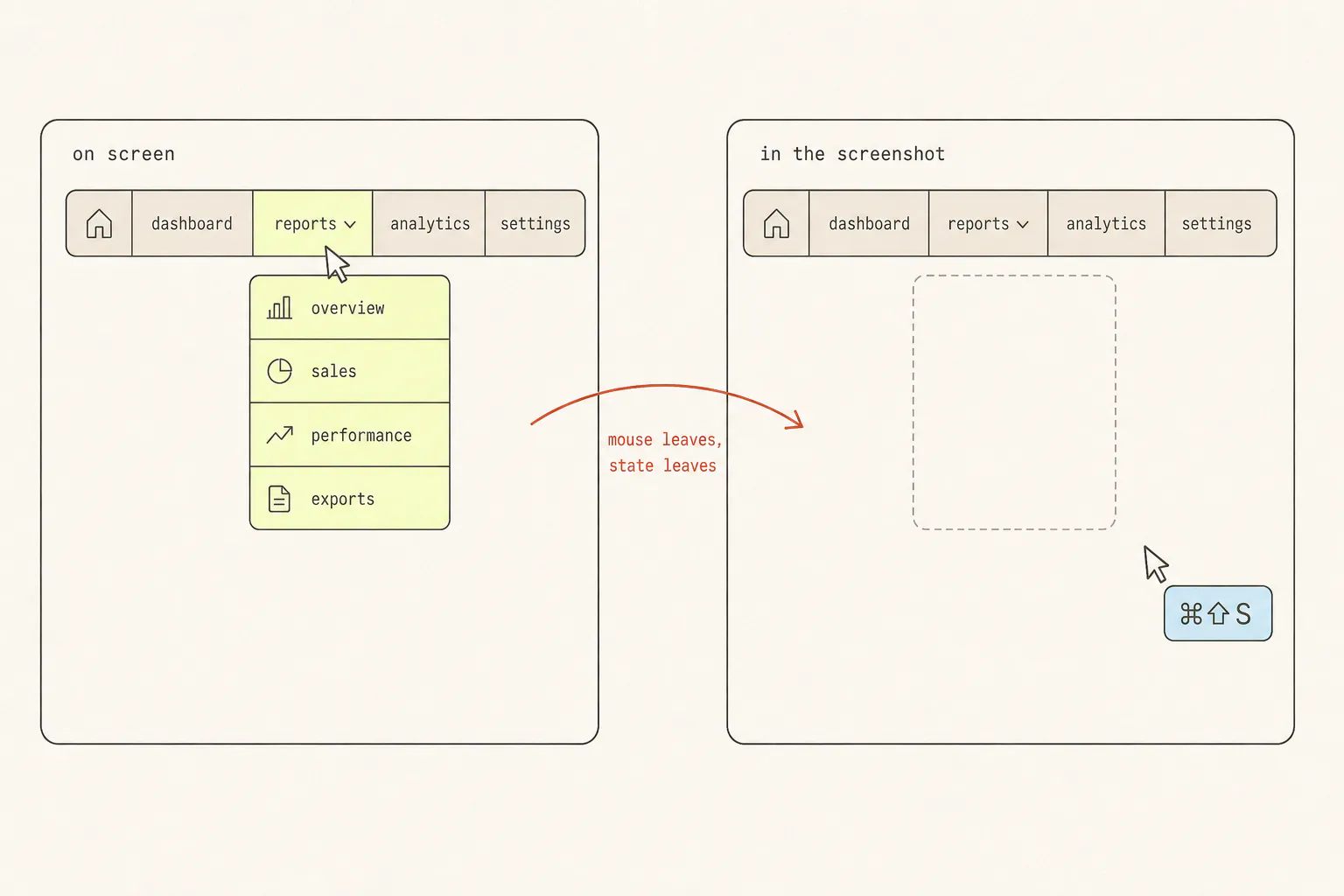
How to Screenshot a Hover State, Dropdown, or Animation
Transient UI is the one thing a screenshot key cannot photograph, because taking the screenshot is what destroys it. Three escalating answers, from a checkbox in DevTools to not screenshotting at all.
9 min read
How to Capture a Web Page: Screenshots, PDFs, and Code
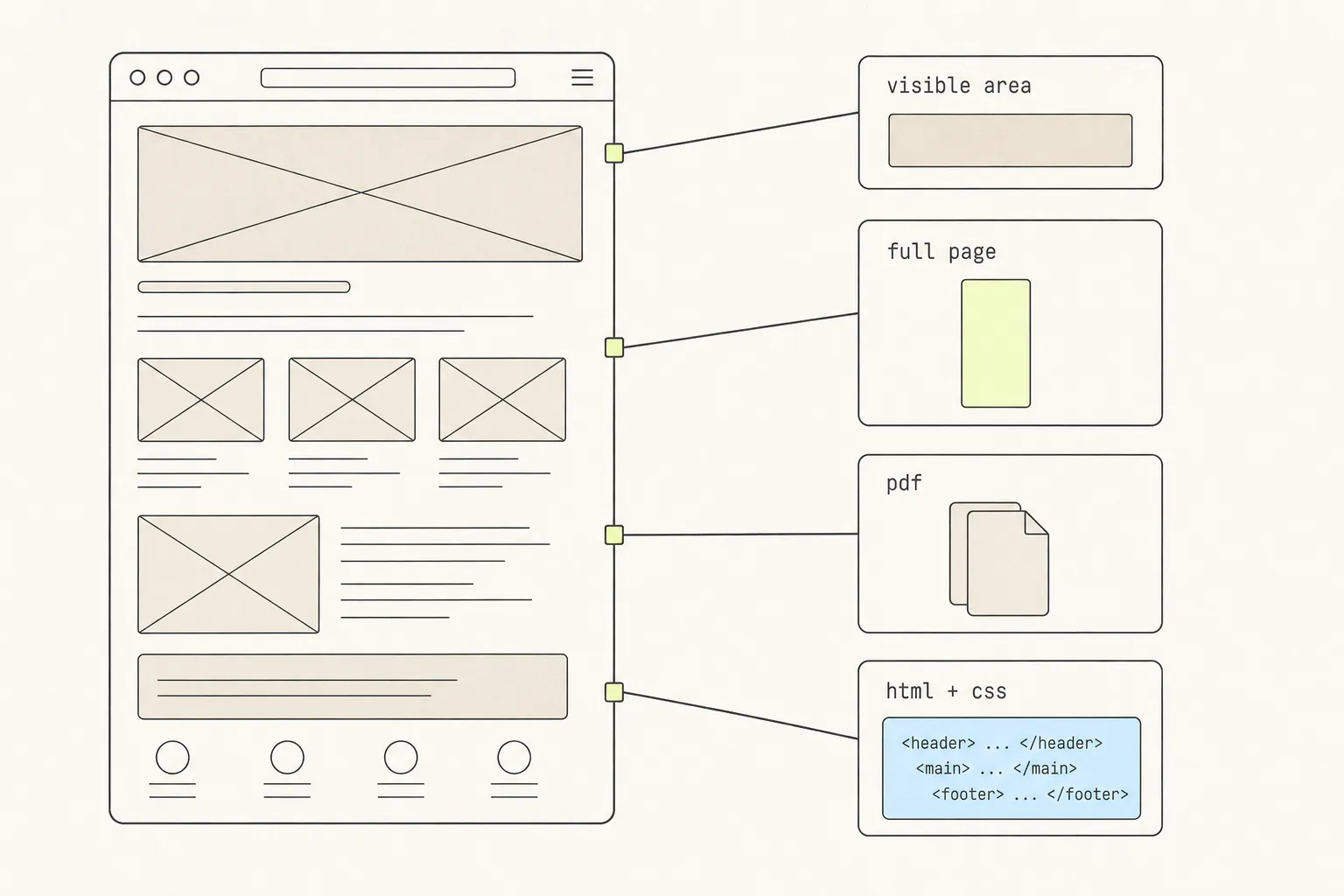
A screenshot, a PDF and a copied component are three different answers to “save this page”. Here is what each one keeps, what each one silently throws away, and how to choose.